

Less time documenting
Turn control decisions, implementation notes and system context into ISM-aligned documents, reports and matrices.
IRAP workflow
SecBoost reduces the time and cost of preparing for IRAP by keeping system context, ISM controls, evidence and generated documentation in one secure workspace.
Why it matters
SecBoost is useful because the information you enter becomes the material needed for governance, assessment preparation and assessor review.
Turn control decisions, implementation notes and system context into ISM-aligned documents, reports and matrices.
Prepare clearer source material before the assessor or consultant starts billable review work.
Keep scope, evidence, implementation claims, contacts and assessment outcomes in one structured workspace.
Use SecBoost-hosted single-tenant customer environments inside SecBoost AWS Australia PROTECTED tenancy.
Outputs
Before thinking about the workflow, it helps to be clear on the end state: a better organised assessment package and fewer loose documents, screenshots and spreadsheets.
System Security Plan and supporting Documentation Suite
SSP Annex: ISM Control Implementation Matrix
Cloud Controls Matrix
Essential Eight progress and executive reports
Control evidence records and assessment history
OSCAL System Security Plan and Assessment Results exports
Step by step
The workflow is designed to meet teams where they are. Import existing assessment material if you have it, or run the wizard if you are starting from a blank page.
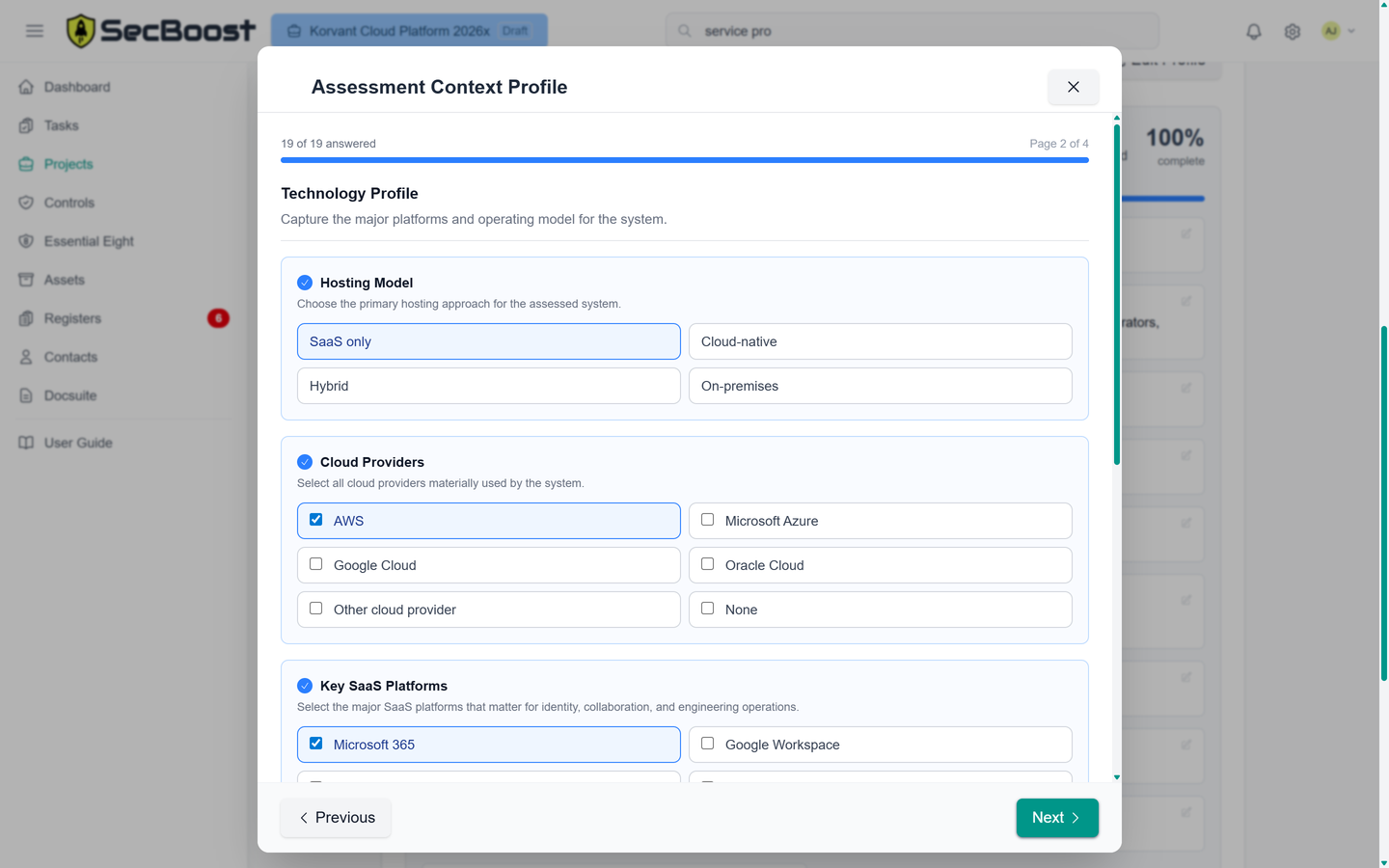
Capture the system context, classification, hosting model, stakeholders, data profile and assessment boundary.
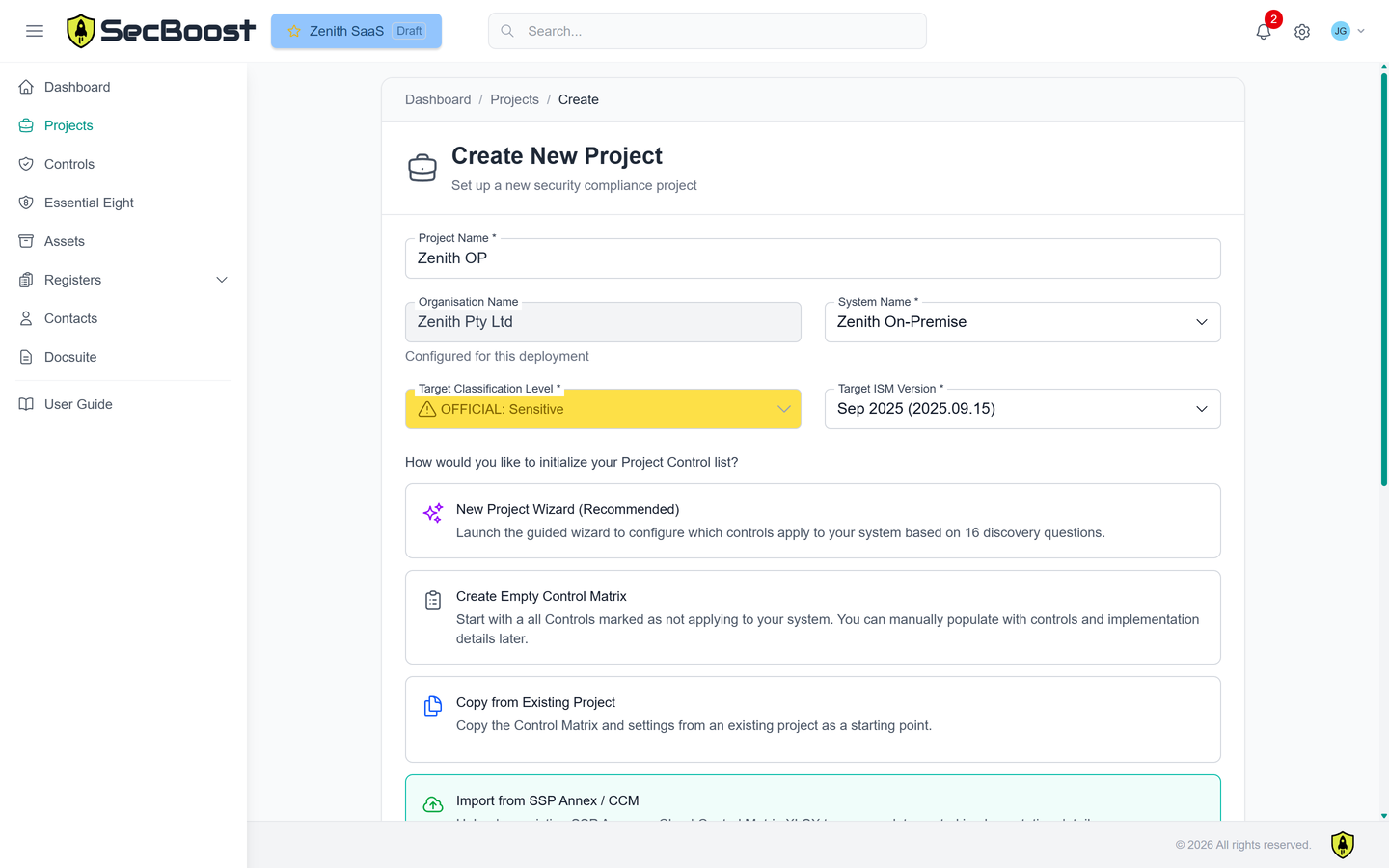
Bring in an existing SSP Annex or Cloud Controls Matrix, or use the guided project wizard to initialise the control scope.
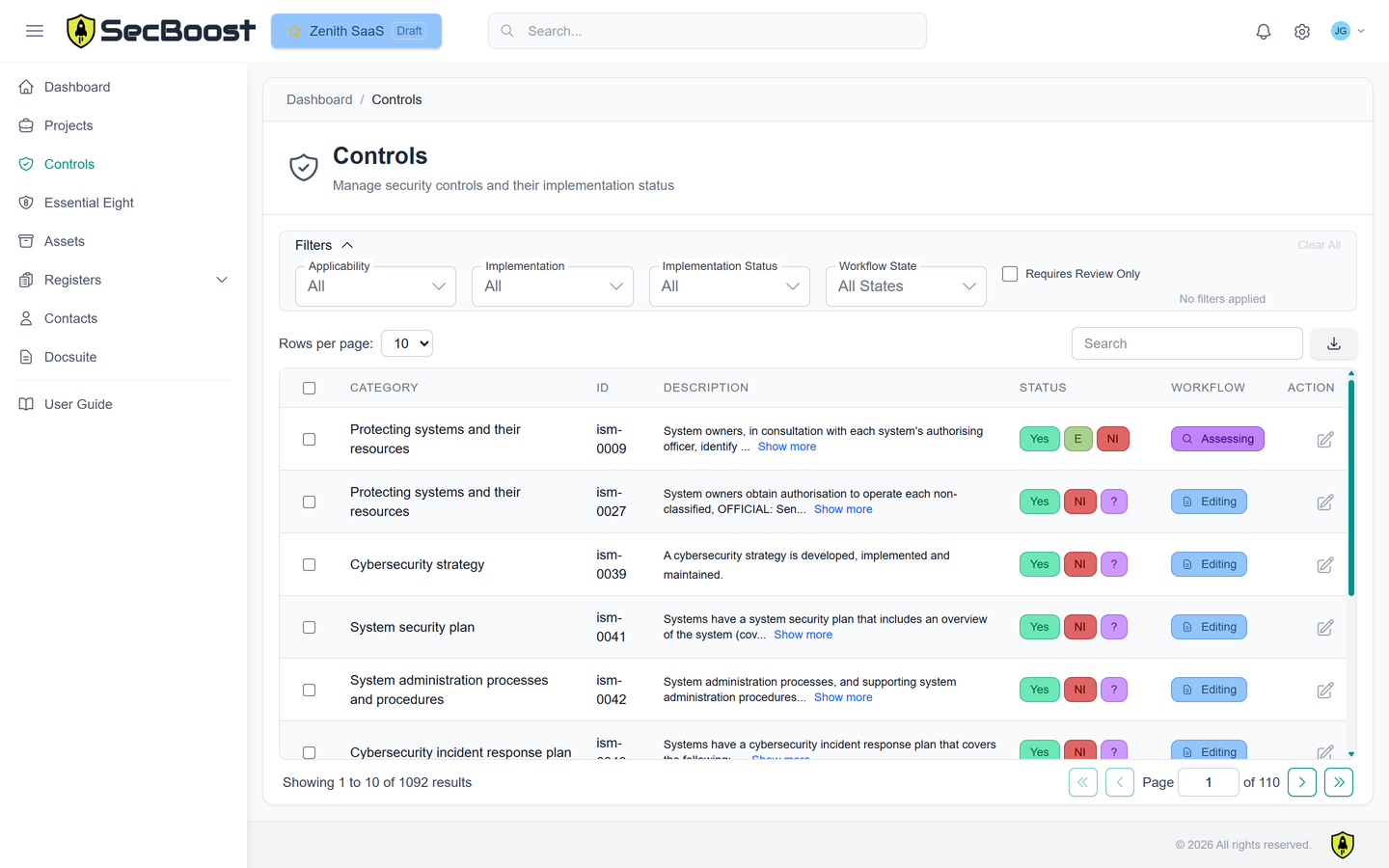
Maintain applicability, responsibility, implementation notes, workflow state and supporting records against each ISM control.
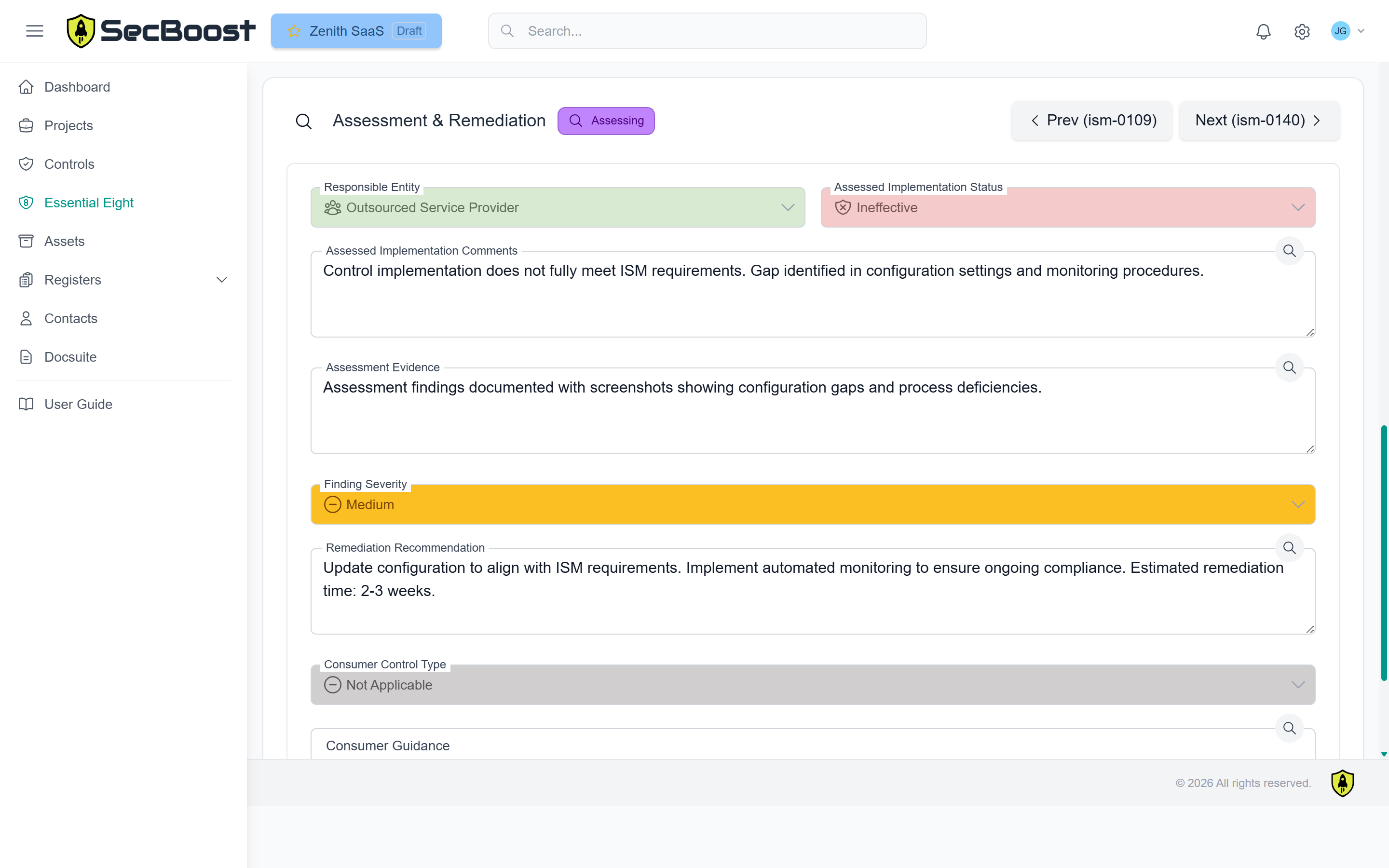
Upload screenshots, PDFs, exports and other files directly to the relevant control record.
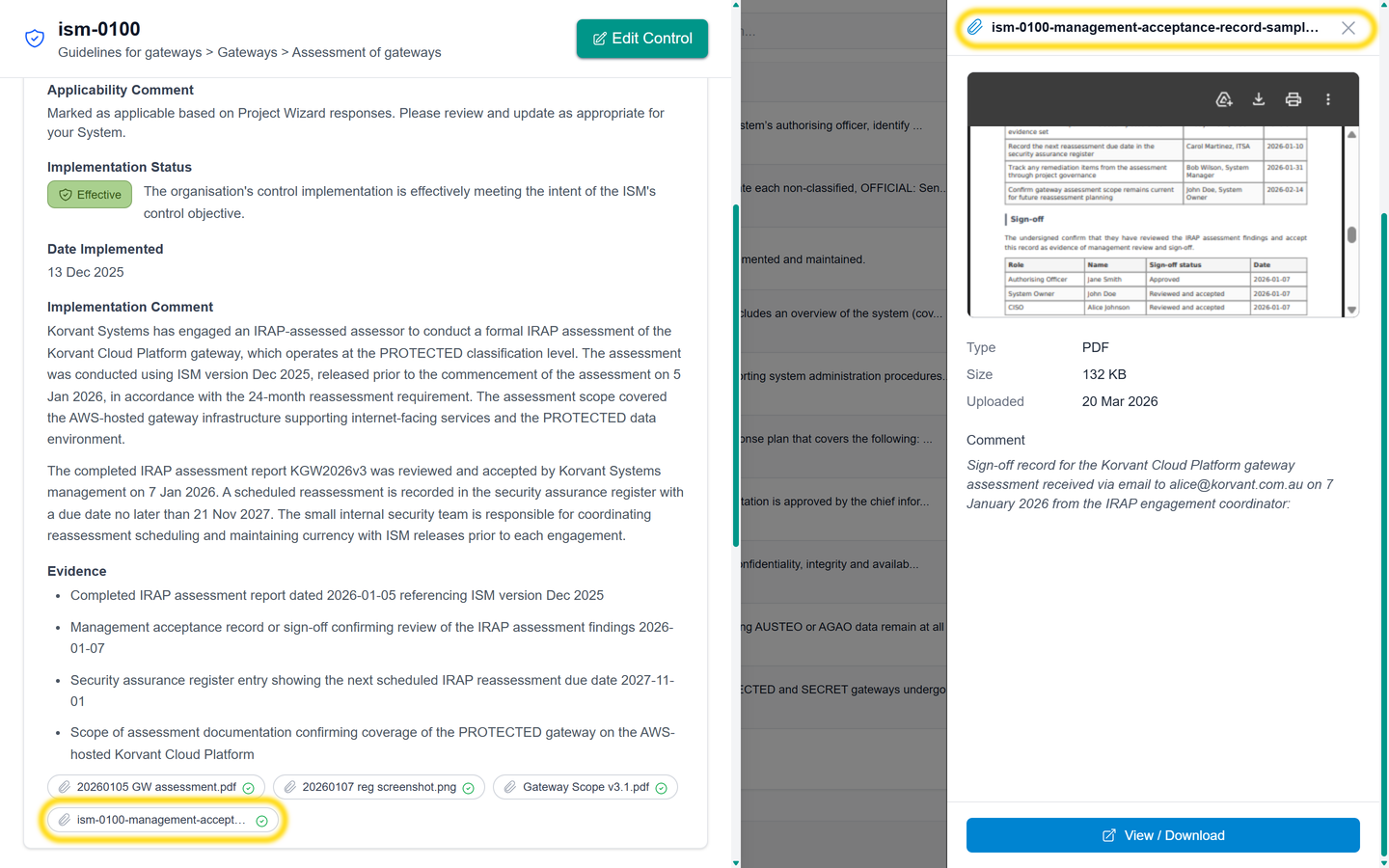
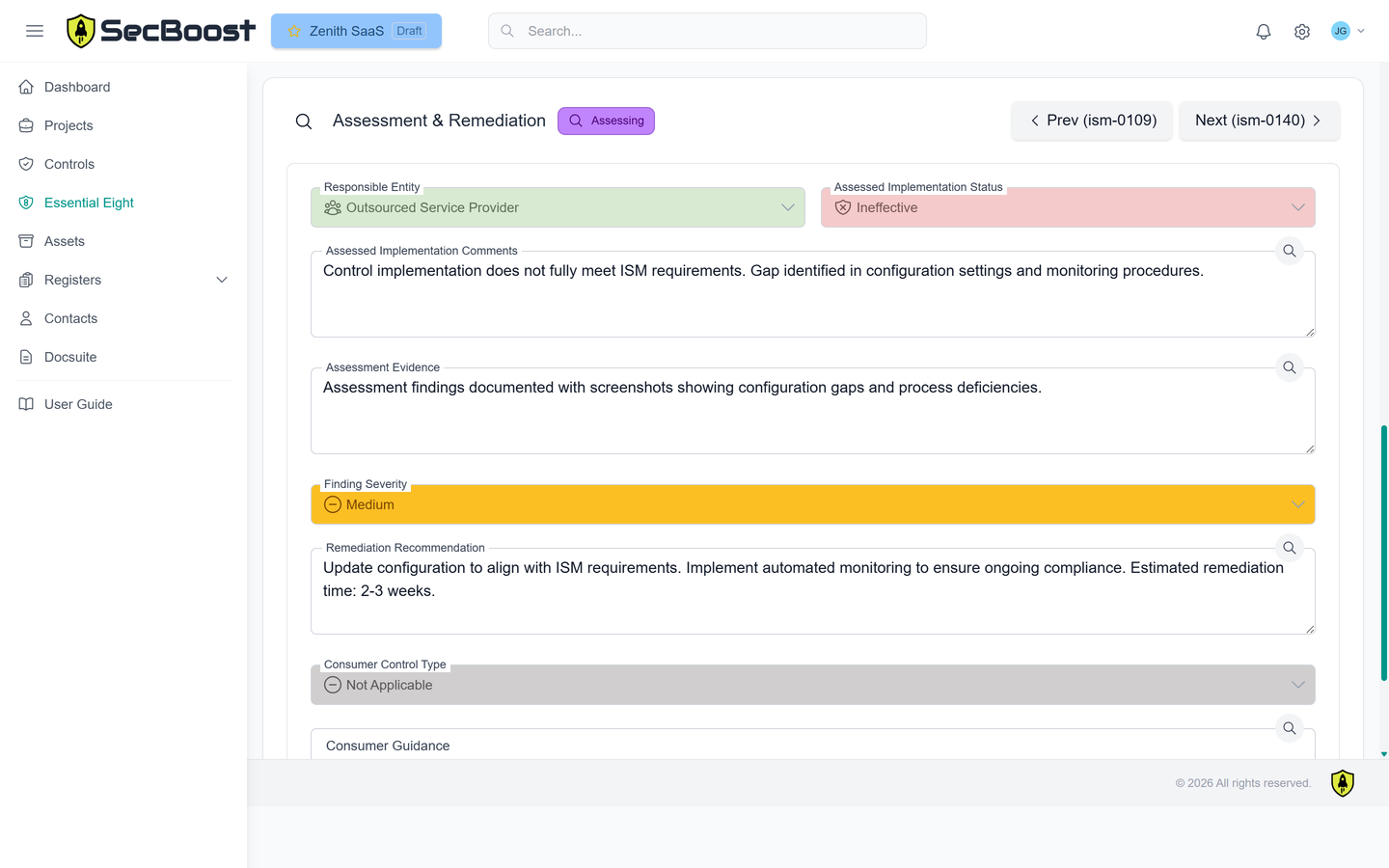
Give the assessor access to review evidence, record observations and update outcomes. If more information is needed, the assessor can return the control to editing so the clarification stays inside SecBoost.
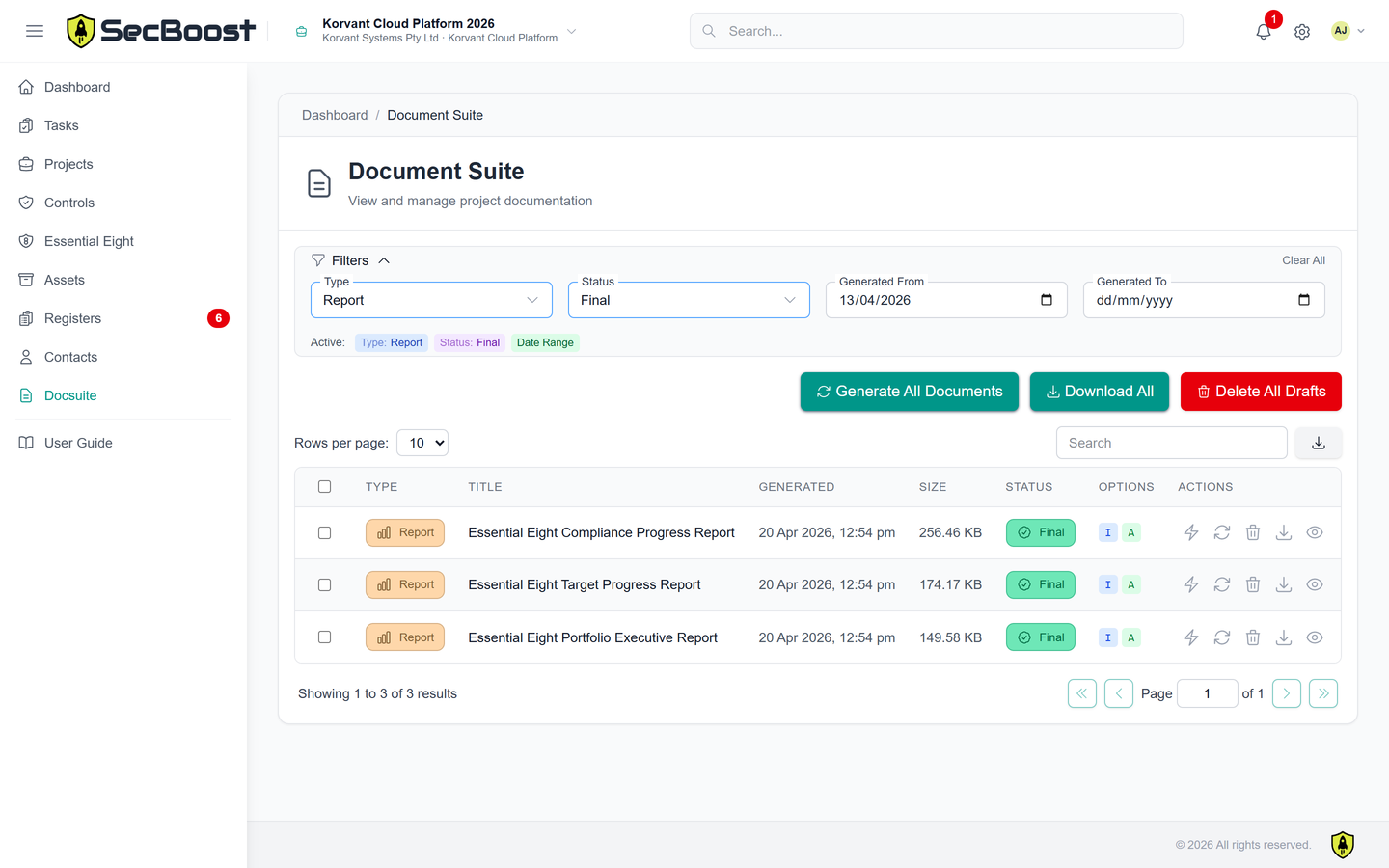
SecBoost produces the key artefacts your organisation and assessor need to keep using after the assessment.
Completed CCM (Cloud Controls Matrix)
OSCAL System Security Plan and Assessment Results exports
Completed Documentation Suite
Up-to-date, living registers
Tier fit
Starter is suitable when you only need to manage stakeholder contacts, documentation and reports. Standard adds the assessor workflow: assessment records, roles, permissions, registers, completed CCM and OSCAL SSP and Assessment Results exports.
Assessment clarification happens inside SecBoost. Assessors can return controls to editing when evidence or implementation detail is incomplete, avoiding email threads that contain confidential assessment material.
Enterprise adds Teams, tasks, workflow gates, multiple organisations and multiple systems for assessors, service providers and government assurance programmes.
Compare tiers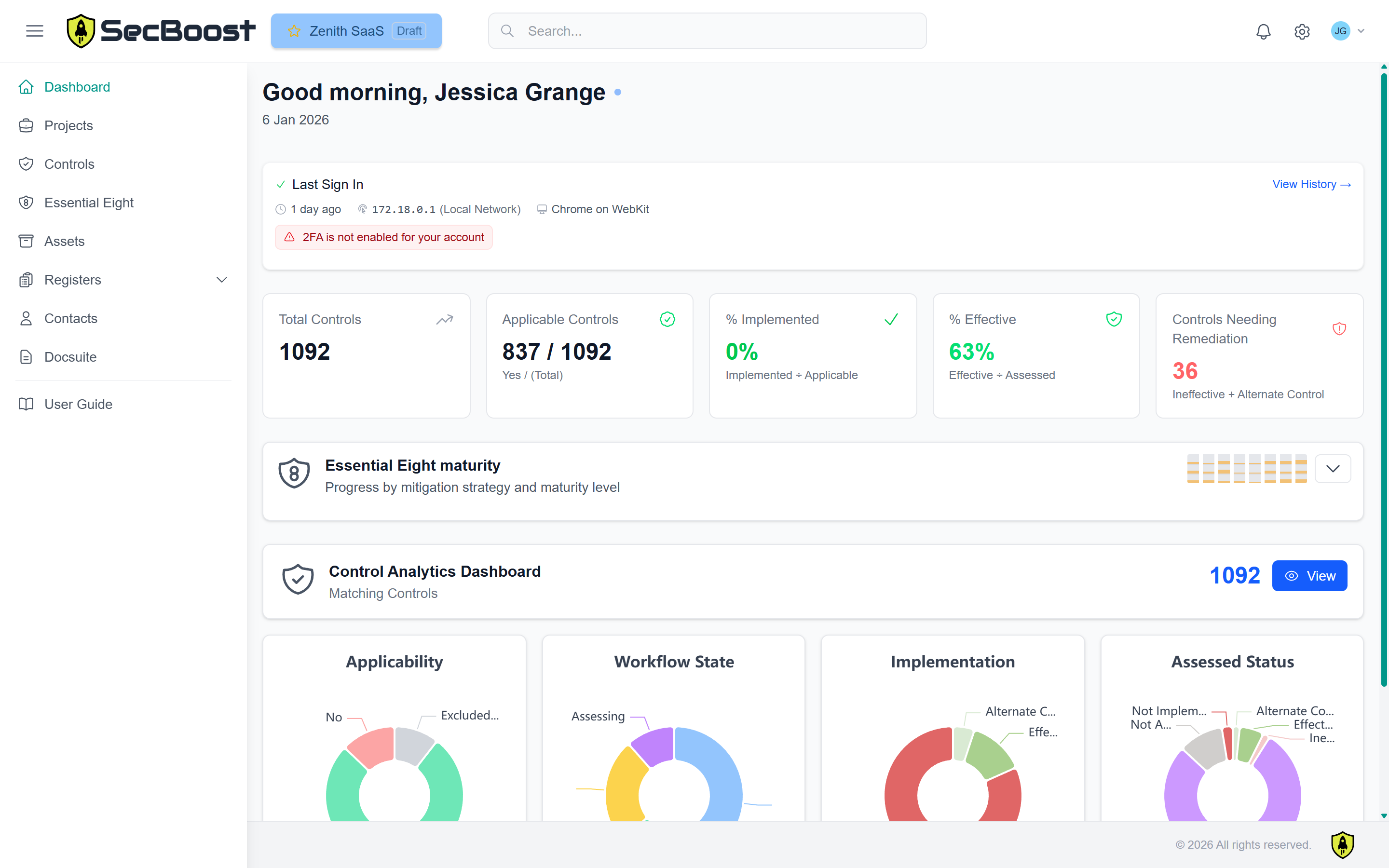
FAQ
Common questions from teams preparing assessment material and assessor-ready evidence in SecBoost.
No. SecBoost is an assessment preparation and workflow platform. It helps organisations and assessors organise scope, implementation detail, evidence, assessment activity and outputs, but it does not replace an independent assessor.
Yes. Standard and Enterprise include assessor workflow features so assessors or internal reviewers can review controls, record outcomes and return controls for more information when evidence or implementation detail is incomplete.
Yes. SecBoost supports starting from an SSP Annex or Cloud Controls Matrix, or using the guided project wizard when the team is starting from a blank page.
SecBoost supports ISM-aligned documentation, SSP Annex and Control Matrix workflows, control evidence records, assessment history, Essential Eight reports and OSCAL exports for System Security Plan and Assessment Results data.