
Standardise client input
Clients complete the same project, control and evidence workflow before review begins.
Assessors and consultants
Recommend SecBoost when clients need a structured assessment workspace instead of scattered spreadsheets, shared drives and disconnected policy documents.
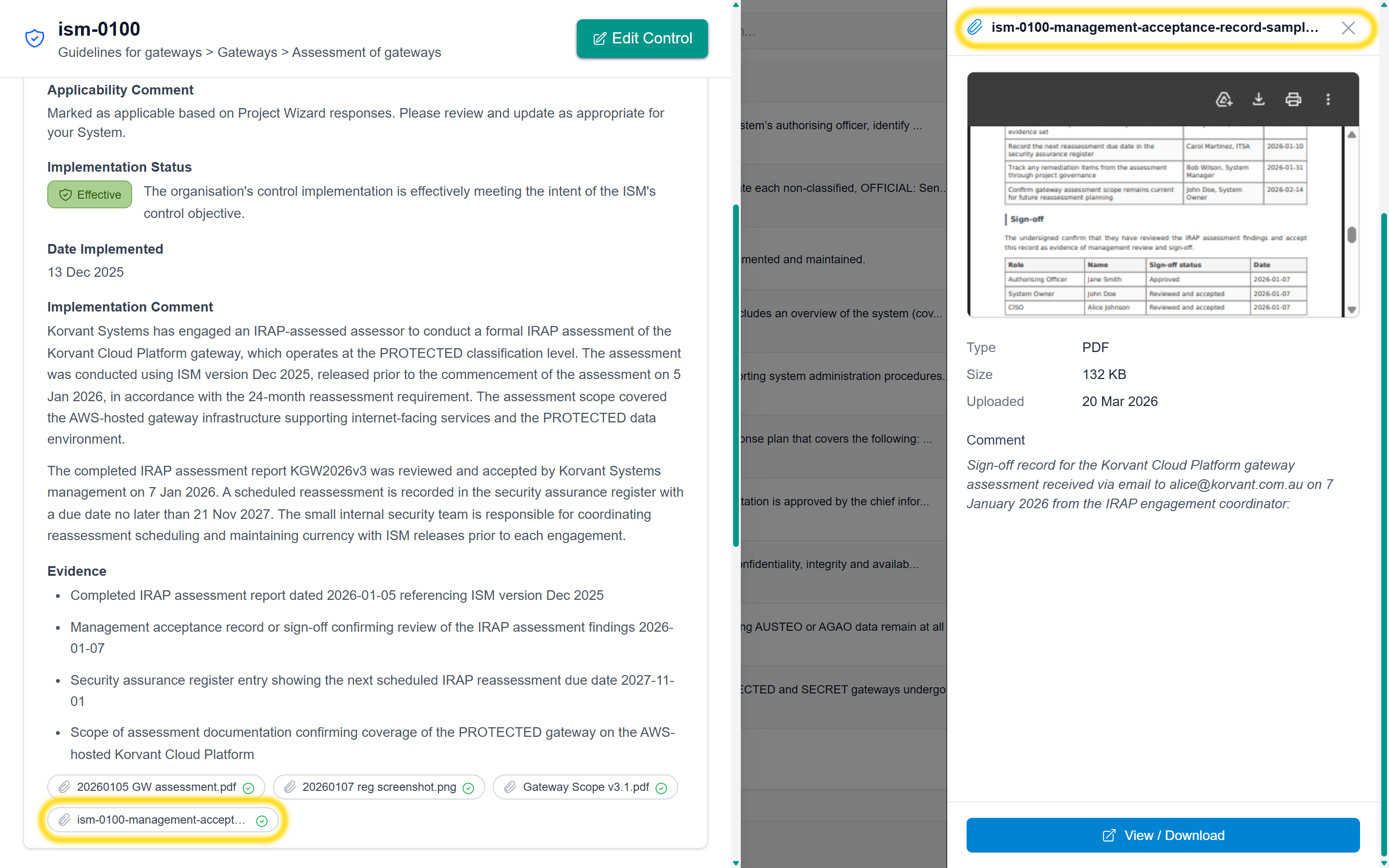
Clients complete the same project, control and evidence workflow before review begins.
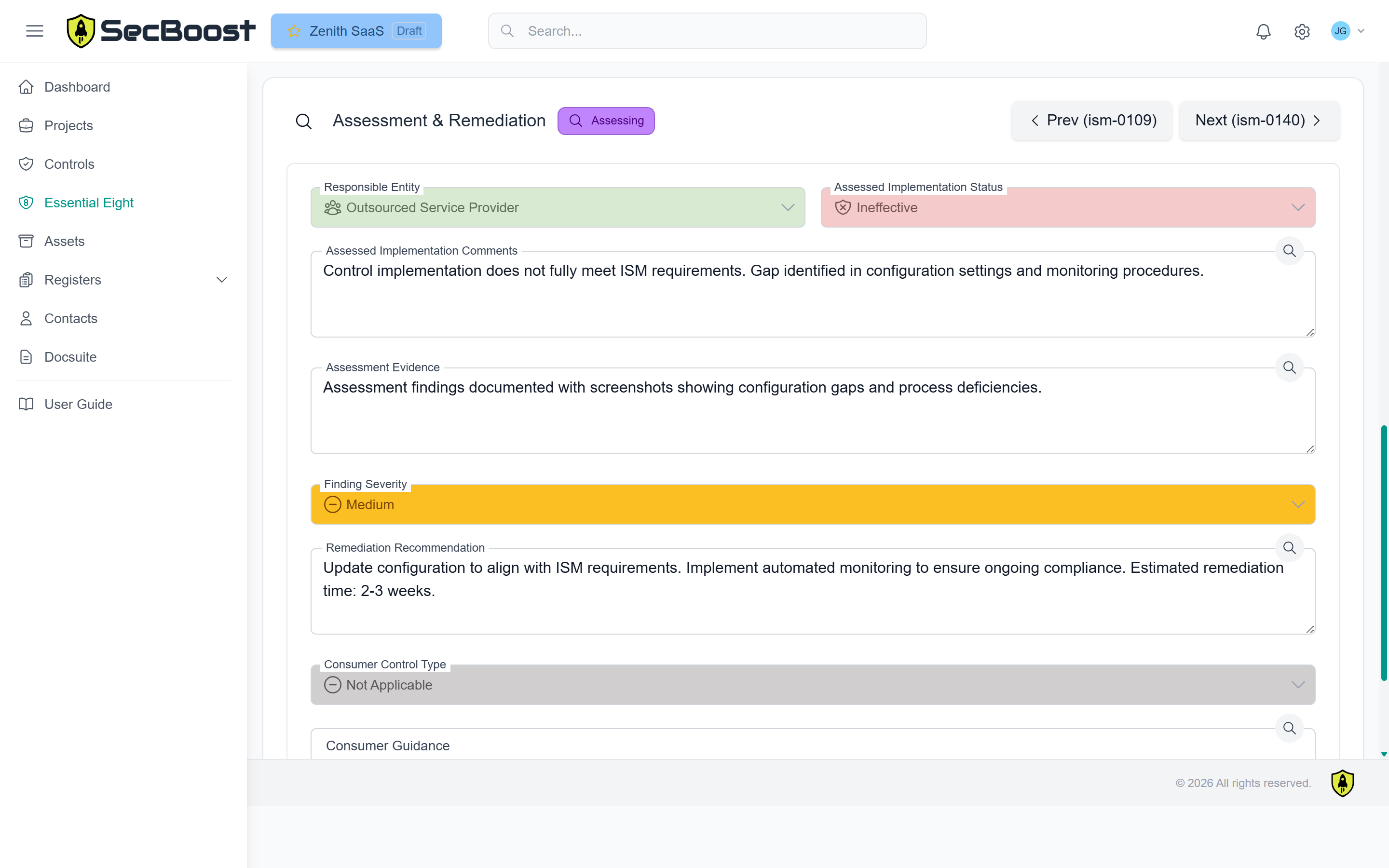
Assessment notes, findings and evidence sit beside the implementation claim instead of being handled in a separate tracker.
Enterprise supports multiple organisations, systems, teams and tasks when one assessor or firm manages many clients.
Why and how
SecBoost helps assessors and consultants standardise the way clients prepare scope, evidence and implementation claims.
Clients can provide scope, evidence and implementation notes in a consistent structure before review starts.
Evidence sits against the relevant control, reducing back-and-forth across folders, email and spreadsheets.
Observations, outcomes and findings remain tied to the control and implementation claim.
Consultants can recommend a workflow that improves delivery and creates a consistent client experience.
How it works
The client defines scope, system context, contacts and control applicability in SecBoost.
Assessors inspect implementation notes and files without leaving the control record.
Assessment activity is captured in the workflow instead of a disconnected external tracker.
If more information is needed, the assessor can return the control to the editor and keep the clarification inside SecBoost.
SecBoost produces structured assessment outputs the client can maintain after the review.
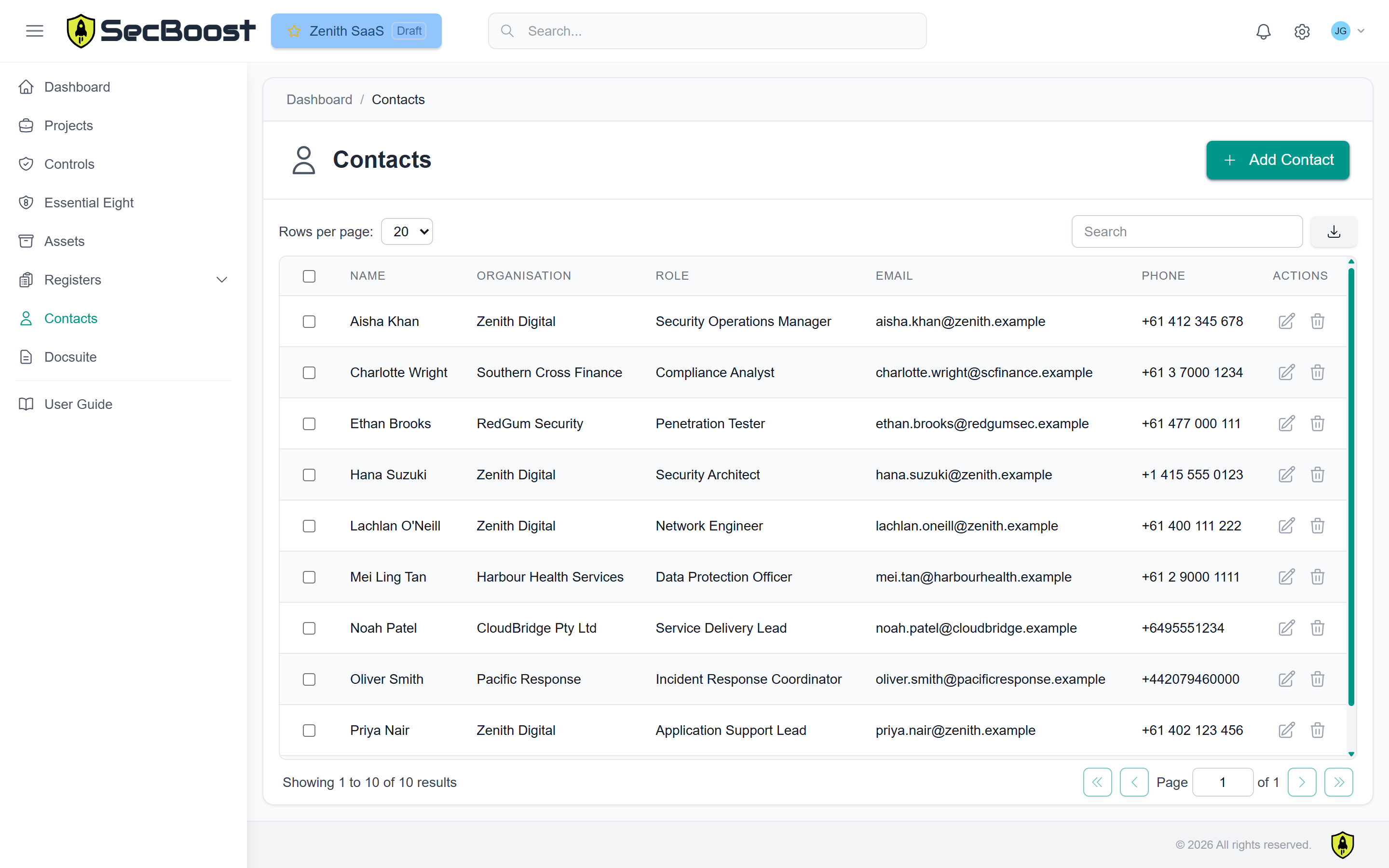
A single assessor can use Enterprise to manage assessments across multiple customers. Larger firms can use Teams and tasks to coordinate analysts and auditors across active projects.
Standard and Enterprise keep evidence requests, assessor comments and control status changes inside the platform instead of pushing confidential assessment material into email threads. At finalisation, SecBoost can produce OSCAL files and a completed CCM from the same assessment record.
$7k/year + GST
Best for SMBs and small teams starting Essential Eight or ISM documentation work.
$12k/year + GST
Best when an assessor needs to log in and perform assessment work inside SecBoost.
Contact us
Best for multiple organisations, multiple systems, delivery teams and portfolio assurance.
FAQ
Common questions from assessors and consultants using SecBoost to structure client evidence and assessment workflows.
Yes. Standard and Enterprise allow assessors, consultants or internal reviewers to inspect implementation notes and evidence inside the control record and record assessment activity in the workflow.
Yes. Assessors can return controls to editing when evidence or implementation detail is incomplete, keeping clarification requests and responses inside SecBoost.
Yes. Clients can use SecBoost to prepare scope, implementation claims, documentation and evidence before expensive review work begins, which helps reduce evidence chasing.
Enterprise is the better fit for firms managing multiple customers, systems, analysts or active projects because it adds portfolio, team and task management capabilities.